
Appearance
Keys
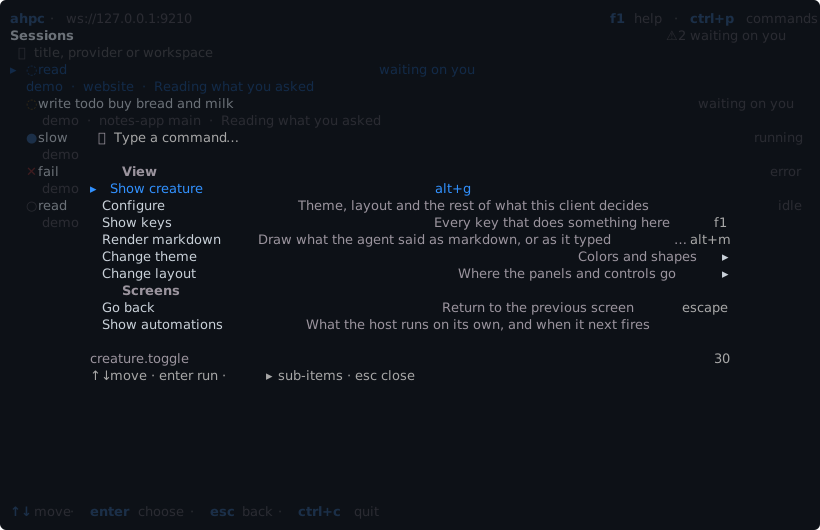
ctrl+p opens the command palette. It lists every command that works where you are, with its key. Type to filter, enter runs a command, and ▸ marks one with more choices.
f1 lists every key that works where you are.
Every screen
| Key | |
|---|---|
ctrl+p | Command palette |
f1 | Every key that works where you are |
ctrl+n | New session |
ctrl+r | Refresh |
alt+t | Theme |
alt+m | Markdown on or off |
esc | Go back one screen |
ctrl+c | Cancel the running turn, or quit |
Each screen
Each screen has keys of its own, and its last row names the main ones.
| Screen | Its keys |
|---|---|
| New session | New session |
| Session list | Sessions |
| Session | Session, and editing a message |
| Turns | Turns |
| Changes | Changes |
| Terminals | Terminals |
| Automations | Automations |
To change a key, see Keys in Configure.